/var/www/xnett.org/containers/layersmith-container-image-builder-llm-training.md
[CONTAINERS]LayerSmith: a self-hosted container image builder
Build container images with Docker or Podman, export them for air-gapped systems, and prepare LLM training environments with the new LayerSmith templates.
- author:
- Rolf
- date:
- 2026-10-02 21:46
- read:
- ~6 min
LayerSmith is now available as an open-source, self-hosted container image builder. It brings a web interface to a familiar Linux task: choosing a base image, installing the right tools, reviewing a Containerfile and producing an image you can actually take somewhere.
The latest stable release is 0.3.1, published on 2 October 2026. The main addition in 0.3.0 is a set of LLM training and fine-tuning templates, built into the same application as the existing Linux, development and automation templates. Version 0.3.1 clarifies that wording in the interface and documentation; it does not change how images are built. See the 0.3.0 release notes and 0.3.1 update.
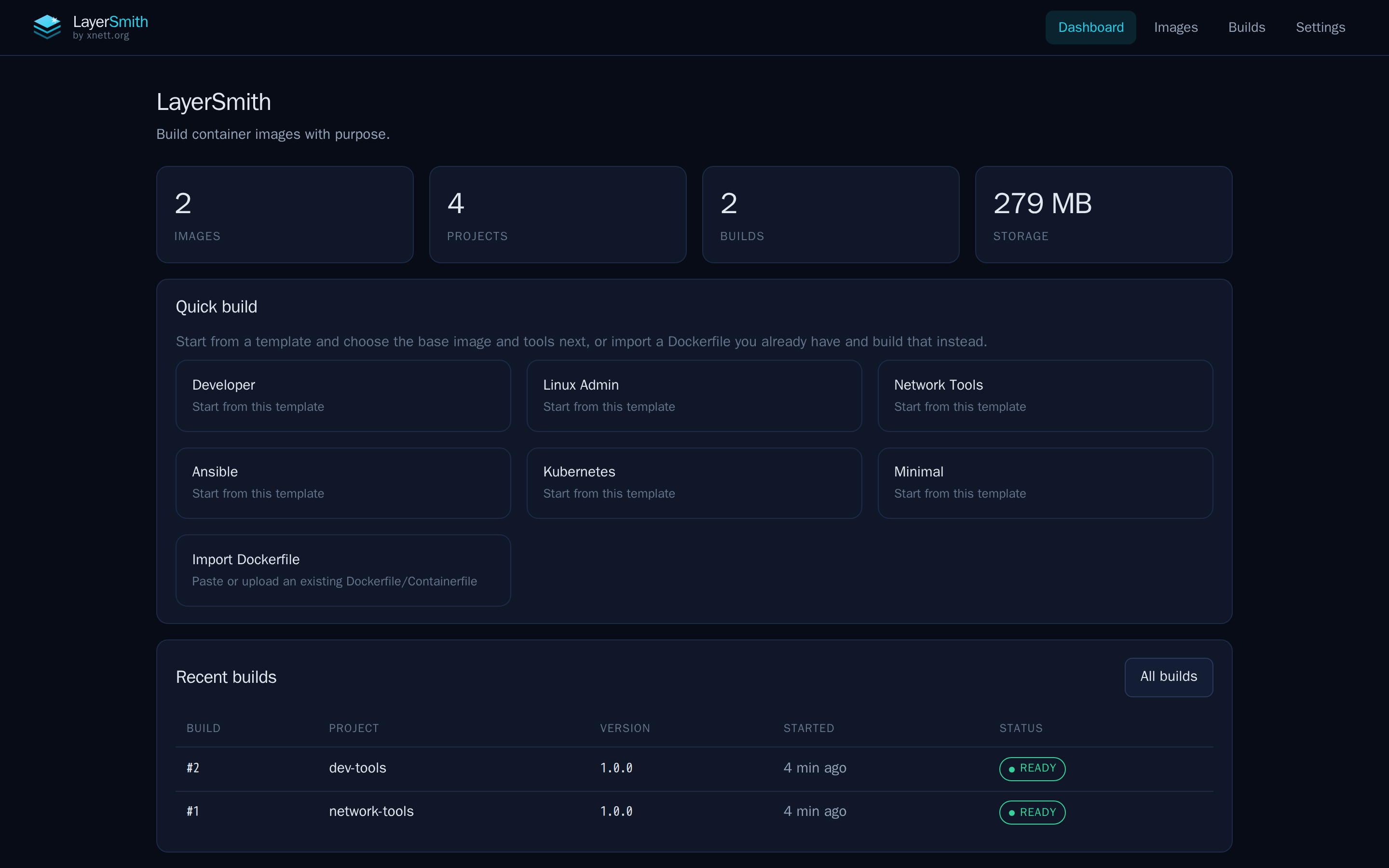
The LayerSmith dashboard brings projects, reusable templates and build history together. Screenshot from the project repository.
What is LayerSmith?
LayerSmith runs on your own infrastructure and uses Docker or Podman to build container images. You select a Linux distribution and a purpose, choose the software you need, and review the generated Containerfile before starting the build.
The standard templates cover development, Linux administration, network troubleshooting, Ansible, Kubernetes, OpenShift and minimal images. Supported distributions include AlmaLinux, Rocky Linux, CentOS Stream, Fedora, Ubuntu, Debian and Alpine, with the option to supply another OCI base image.
The useful detail is distribution-aware package selection. Asking for DNS tools should not require remembering a different package name for every distribution. LayerSmith handles those mappings while keeping the resulting build instructions visible and editable. You can also import an existing Dockerfile or add your own packages, files and scripts. The project README covers the full feature set.
Container builds you can trace and export
Each build records its Containerfile, base-image digest, package list, file checksums and log. Versions are built once rather than overwritten, and pinning the base image by digest avoids silently following a tag that has moved.
That gives you a concrete record of what went into an image. It also makes an exported image easier to explain to the person who has to run it later. Pinning a base image alone does not promise that every future package download will produce an identical rebuild; the recorded build details remain important.
A finished build can be exported as a TAR archive or packaged into an air-gap bundle with the image, manifest, source Containerfile, checksums and installation instructions. The deployment documentation describes loading archives with Docker or Podman, so the receiving machine does not have to use the same runtime as the builder.
For the wider context around running containers, see what runs in my homelab containers.
New: templates for LLM training and fine-tuning
Preparing an LLM training environment means getting several moving parts to agree: PyTorch, CUDA, Transformers, PEFT and whichever training tools the workload needs. Moving that environment to a machine without internet access adds another requirement: checking it before it leaves the connected network.
In LayerSmith, the starting point is Create image → LLM Training & Fine-tuning. Choose the training task, adaptation method and target hardware. The wizard suggests a profile and explains the included software.
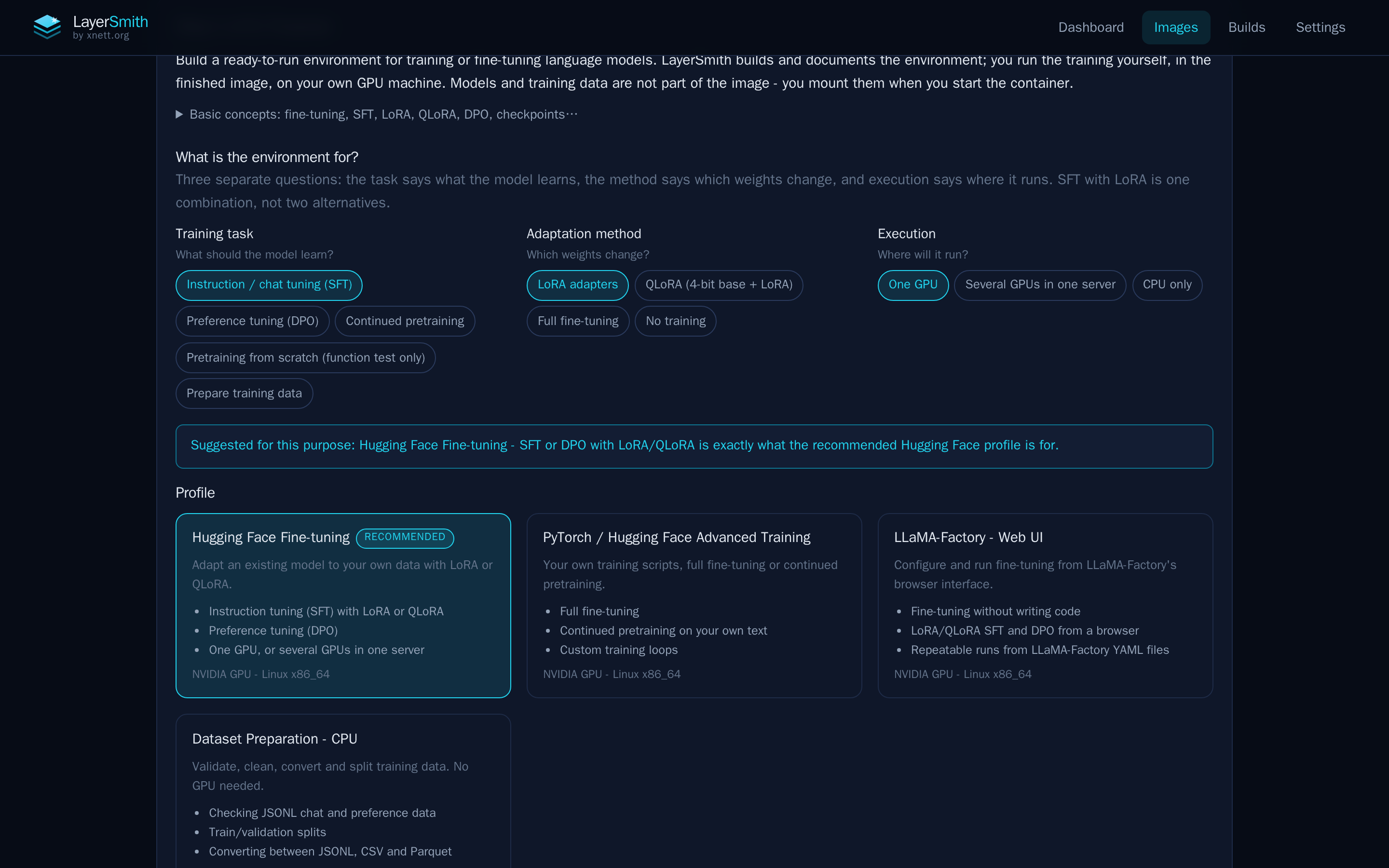
Choose what the environment is for, how the model will be adapted and where the workload will run.
Four profiles are available:
- Hugging Face Fine-tuning: supervised fine-tuning and preference tuning, including SFT and DPO with LoRA or QLoRA.
- PyTorch / Hugging Face Advanced: custom training scripts, full fine-tuning, continued pretraining and multi-GPU options such as FSDP and DeepSpeed, with a compatible stack for FlashAttention.
- LLaMA-Factory – Web UI: fine-tuning through LLaMA Board or repeatable runs from YAML configuration.
- Dataset Preparation – CPU: validating, cleaning, converting and splitting datasets without a GPU.
The templates ship inside the normal LayerSmith application. LayerSmith builds and documents the environment; training runs in the resulting container on your own machine. Model weights and datasets are supplied separately. The current training profiles target Linux x86_64, with NVIDIA GPUs for the GPU profiles. See the training documentation for supported stacks and exact versions.
What the offline checks actually verify
The training templates use digest-pinned base images and Python dependencies locked to versions and hashes. Unsupported combinations are rejected before the build, with an explanation and an alternative where available.
After building, LayerSmith runs checks inside the image with networking disabled. These cover installed dependencies, a small CPU functional test and the bundled offline examples. For training profiles, the CPU test exercises a tiny local model; the dataset profile checks its data preparation workflow.
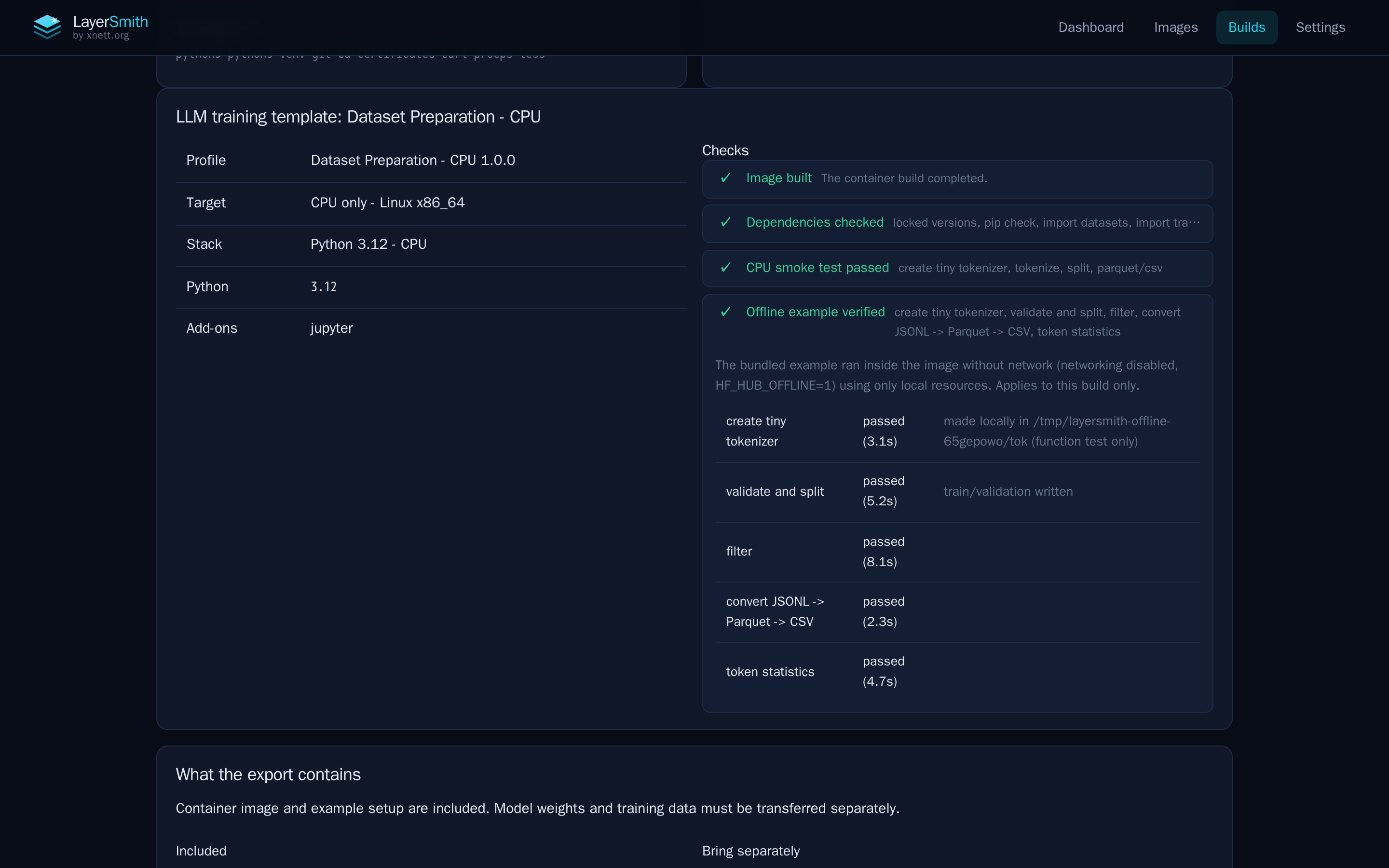
This dataset preparation build shows the checks that passed and the individual offline operations that were exercised.
A successful CPU check does not establish that CUDA or training will work on a particular GPU server. LayerSmith leaves GPU validation to the target machine; a GPU check report can then be recorded against the build. That distinction matters when the build host and training host have different hardware.
Taking an LLM environment into an air-gapped network
The training export adds a training directory with instructions for the exact image, dependency locks, examples, check results and a list of external files to bring separately.
A practical transfer has three parts:
- Build and check the container image on a connected machine, then export the bundle.
- Collect the model weights, configuration, tokenizer, training data and any evaluation assets the workload needs.
- Transfer and verify those files, load the image, and run the target-machine checks before starting the real workload.
Running the prepared image offline is supported. Rebuilding it entirely offline is not currently supported. Building the training images still needs access to their base images and package sources.
Storage is worth planning too. The project's reference builds measured about 0.9 GB for the CPU dataset profile, roughly 11–14 GB for the standard GPU examples and around 28–29 GB for examples including DeepSpeed. Those are measured recipes, not fixed sizes for every configuration. Allow space for the image, exported archive and bundle together. The offline workflow and reference measurements are documented in the repository.
Optional image scanning
LayerSmith also supports optional image scanning, introduced in 0.2.0. With a scanner configured, a build can show vulnerability findings, scan history and a downloadable CycloneDX software bill of materials (SBOM). Security reports can travel with an air-gap bundle.
Scanning reports findings; it does not block a build or certify an image as safe. An image that has not been scanned is shown as unknown, and scan results need to be read alongside their database and scan dates. The scanning documentation explains configuration and offline operation.
Getting started with LayerSmith
Start with the LayerSmith repository on GitHub and choose the Docker or rootless Podman setup that fits your host. For a versioned deployment, the application image for this release is:
ghcr.io/r0lfi/layersmith:0.3.1LayerSmith currently has no built-in login. Access to its container-runtime socket allows it to run containers as the socket owner, so deploy it on a trusted workstation or restricted build host, and put an authenticating proxy in front when needed. Review the deployment guidance before exposing the interface.
Keep and back up the /data volume during upgrades: it holds the projects, build history, exports and application state. Check available storage and existing network ranges before bringing up a new Compose deployment.
LayerSmith is MIT-licensed. The source, releases and documentation are public, and GitHub issues are the place for reproducible bug reports and feature requests.
Screenshots: LayerSmith contributors, from the v0.3.1 repository. MIT license.
# EOF