/var/www/xnett.org/automation/ops-center-managed-lvm-disk-expansion.md
[AUTOMATION]Managed disk expansion in Ops Center: one approved request from VM to filesystem
Preview and approve supported LVM growth, including verified Proxmox backing-disk expansion, with capacity checks and resumable requests.
- author:
- Rolf
- date:
- 2026-09-13 15:40
- read:
- ~3 min
Growing a filesystem can involve several layers: hypervisor storage, a virtual disk, a guest partition, an LVM physical volume, a logical volume and the filesystem itself.
Ops Center now has a managed workflow that handles the supported sequence as one approved request. It previews the target, validates the layout and checks capacity before performing the required growth stages.
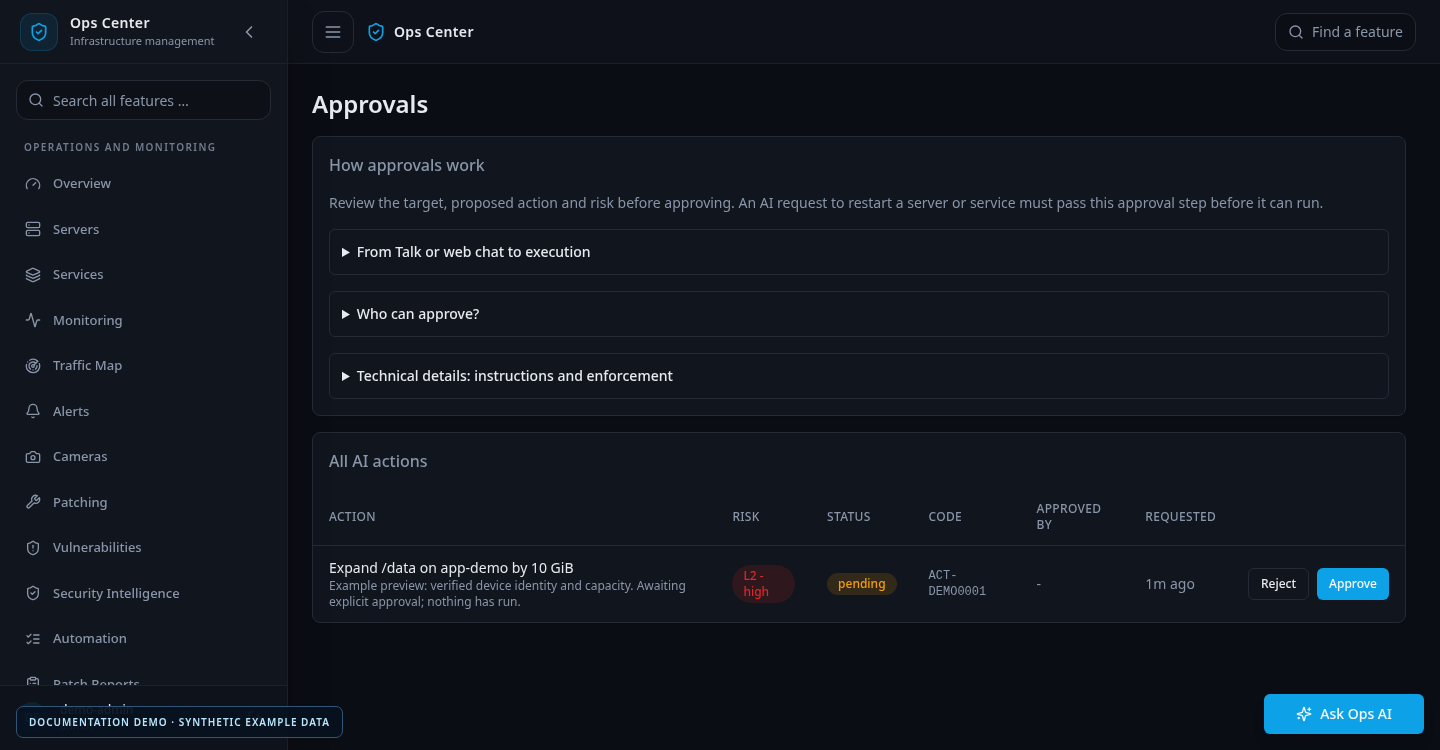
The image is a documentation example. It does not demonstrate a resize performed on a real machine.
Describe the intended result
A request identifies one managed guest, one existing mount point and an explicit increment. If backing-disk growth is needed, it also identifies the managed Proxmox host and verified VM mapping.
For example, the requested result might be an additional 10 GiB for an existing data filesystem. The workflow first uses free volume-group extents and available space already present on the guest disk. It only asks for more backing capacity when that is required.
The approval binds the exact guest, mount, increment, hypervisor mapping and stable request ID. Internal stages stay inside that approved job.
Preview before execution
Preview reports the planned absolute targets and physical capacity checks without resizing a disk. Execution revalidates the conditions before changing anything.
A successful preview shows that discovery and planning worked at that moment. It is not proof that an actual expansion has completed, and it does not reserve storage against unrelated activity.
The final result checks the filesystem's total capacity as well as the logical volume. That matters because a larger LV with an unchanged filesystem has not delivered the requested usable growth.
Deliberately supported layouts
The first implementation supports a mounted, writable XFS or ext4 filesystem on an ordinary linear LVM logical volume. The volume group must contain exactly one physical volume, on a whole disk or the last Linux LVM GPT partition.
Guest encryption, RAID, multipath, thin logical volumes and ambiguous layouts are outside this workflow. It refuses unsupported cases before resizing.
When Proxmox backing growth is required, the guest and VM identities must match. The disk serial must uniquely identify the configured virtual disk. Disk letters and boot order are not used to guess which disk should grow.
Supported backing stores include constrained directory-backed raw or qcow2 images and LVM-thin storage. The checks account for already provisioned but unallocated capacity, not only the free number shown by a filesystem. ZFS, Ceph, shared and network stores are outside the current implementation.
Capacity is checked beyond the target VM
The workflow considers other virtual allocations on the same supported storage. An already overcommitted store can be rejected even if it still reports free physical space.
After the planned allocation, at least 10 GiB or 10 percent of total physical storage capacity must remain free, whichever is greater. Relevant checks run again immediately before the resize.
Required tools must already be installed. The job does not silently install missing packages or reboot a host.
Resume the same request after an interruption
An interrupted resize can leave an earlier layer already expanded. Starting a new relative “add 10 GiB” command could then add capacity twice.
The workflow records device identities and absolute targets under a stable request ID. After inspecting the failure, an administrator can resume that original request with the same inputs. Completed requests return their existing result without another expansion.
The AI action executor does not automatically rerun a failed job. A genuinely new expansion needs a new approved request.
Growth is not safely undone by shrinking. If a later stage fails, earlier growth remains and requires inspection before continuing. The workflow never shrinks, reformats, detaches or replaces a disk.
The disk expansion guide lists the exact prerequisites, storage restrictions, preview inputs and recovery behavior. Treat it as a required layout check before using the workflow on a managed host.
More from this release
Browse the September feature series, or read the original Ops Center introduction.
# EOF