/var/www/xnett.org/homelab/ops-center-portable-installation-integrations.md
[HOMELAB]Ops Center beyond one homelab: portable setup and explicit integrations
Configure your own hosts, monitoring sources and integrations, keep runtime secrets separate, and plan upgrades with the documented migration requirements.
- author:
- Rolf
- date:
- 2026-09-13 15:40
- read:
- ~3 min
The September update makes Ops Center easier to configure outside its original environment. Servers, traffic sources, paths and optional integrations are supplied by the operator, while public examples use documentation data.
That matters for a self-hosted project. A screenshot can illustrate a populated dashboard, but a new installation should not inherit somebody else's hosts, domains, credentials or operational assumptions.
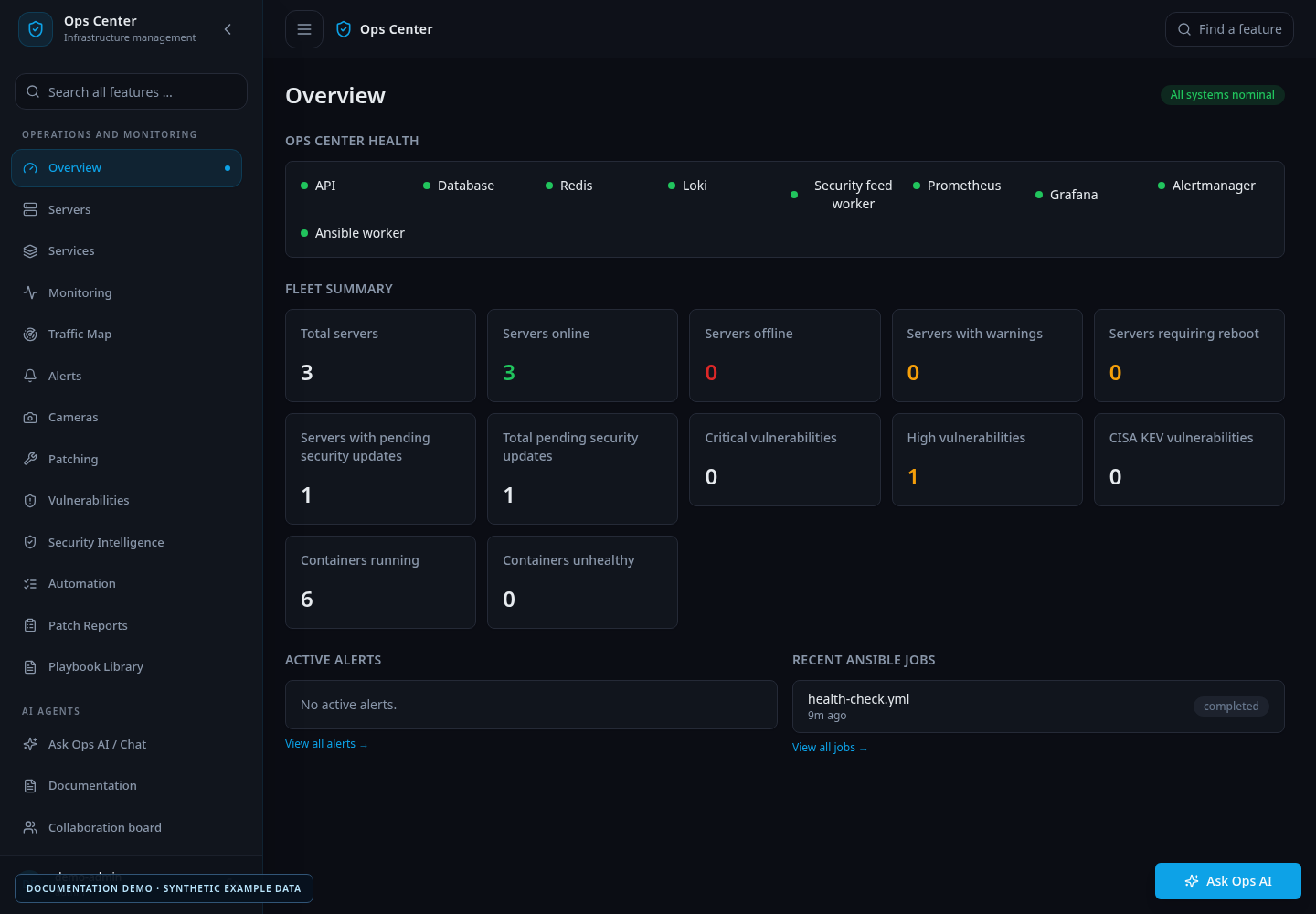
The published screenshots are examples of the interface, not the defaults installed on your system.
Start with your own inventory
A fresh installation has no managed hosts. Add the servers you intend to operate, associate credentials through the managed workflow and verify SSH fingerprints before allowing access.
Traffic collection, agent collaboration and MCP start disabled. Enable each feature deliberately, with its own sources, participants or access grants.
Traffic settings now live in the application: choose server records, reader types, real log paths, labels, trusted origins and retention under Settings → Traffic Map & authentication. Saved changes are applied by the collector without rebuilding the app.
This removes the need to edit application code merely to use different source servers or monitoring paths.
Optional integrations stay explicit
AI functionality is optional. Ops Center can run without a configured AI provider; enabling one requires the operator's own provider configuration and credentials.
Nextcloud Talk uses an explicitly configured HTTPS backend and bot secret. Linked private-room bindings establish ownership where supported, and approval or progress messages follow the existing integration rules. Setting up Nextcloud and registering the bot are separate operator tasks.
The wg-easy integration targets the v14 session API. Ops Center authenticates to the configured HTTPS service for each operation and closes the session afterward. Other versions may use a different API contract and should not be assumed compatible.
Camera streams, go2rtc, UniFi watchdog targets and remote Loki ingestion also require deliberate configuration. Some integrations can act on the equipment you configure; for example, the optional camera watchdog can request reconnection of an unreachable client. Enable only the integrations you intend to operate.
Secrets remain in private runtime files or the supported credential store. They do not belong in source control, screenshots or copied example configuration.
Standard and HA deployments have different responsibilities
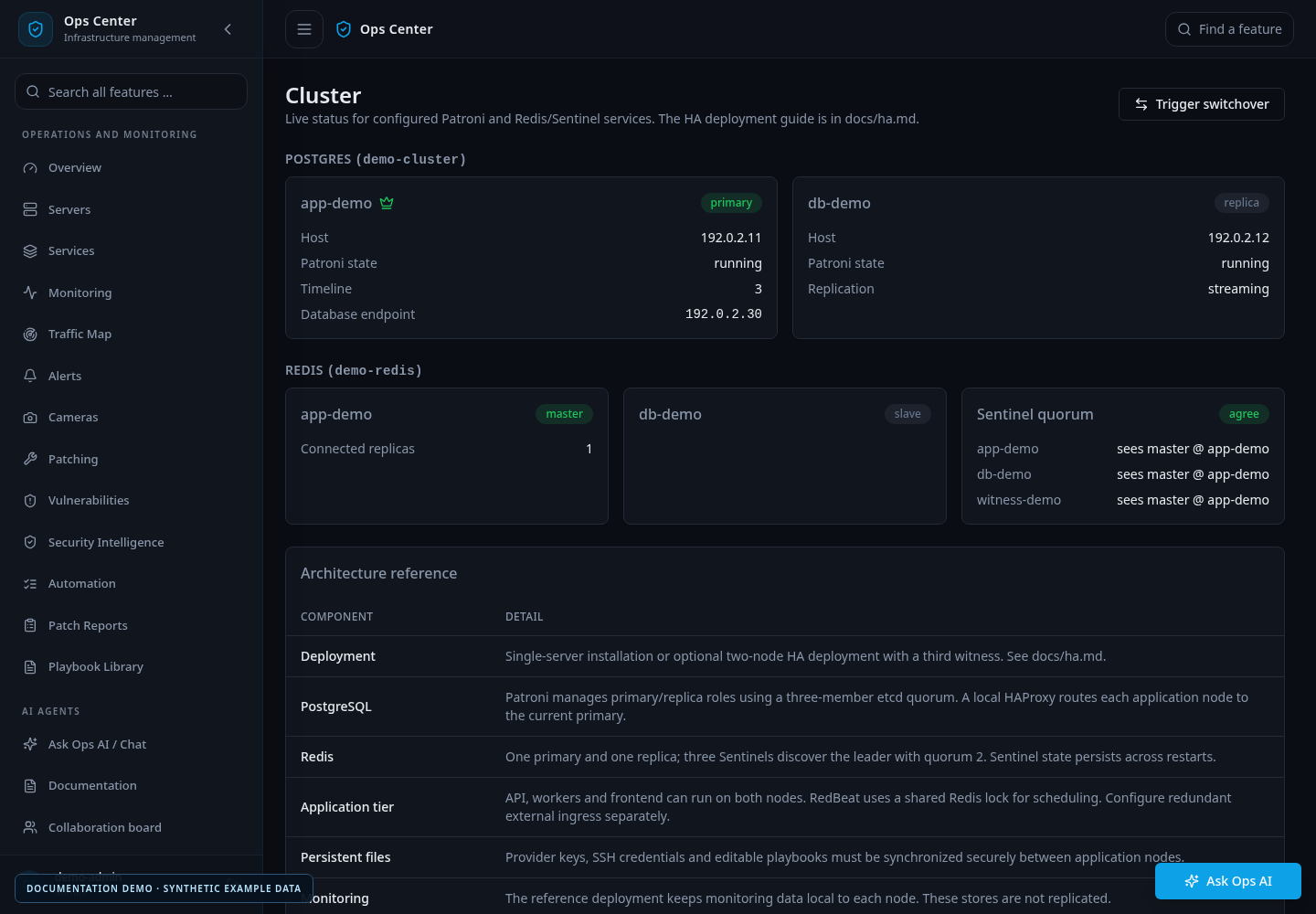
The standard deployment and the optional HA reference bundle serve different needs.
The HA reference describes two application/database nodes and an independent witness, with PostgreSQL coordinated by Patroni and etcd, Redis Sentinel discovery and shared scheduling coordination. The cluster interface provides status and an administrative PostgreSQL switchover workflow.
The reference bundle does not automatically provide a redundant external ingress. Operators must design that part of the deployment. Monitoring storage also remains node-local unless a separate storage design is supplied.
A successful standard installation is therefore not the same as a validated HA deployment. The HA guide covers the topology, boundaries and validation steps.
Plan the upgrade around configuration and migrations
Before replacing a running installation, record its source settings, integrations, runtime files and application versions, and retain a database backup and usable rollback images.
Configurable Traffic Map requires migration 0041. The MCP release adds 0042. Install matching application components and apply migrations through the release being deployed.
Legacy environment-specific traffic paths and login trust values are not imported automatically. Configure them in Settings before relying on collection. Existing traffic history is preserved by the upgrade, but source configuration still needs attention.
Afterward, verify health, collection status, authentication observations and any integrations you enabled. For multi-node installations, verify each node's actual runtime. Updating a checkout alone does not update a running container.
Read the feature articles
The accompanying series explains the new capabilities individually:
- MCP access and AI clients.
- Traffic Map and persistent history.
- Authentication observations and alerts.
- PWA installation and wallboards.
- Agent collaboration and memory.
- Managed disk expansion.
The public repository contains the code, setup instructions and synthetic feature screenshots. The integration guide documents the supported contracts. Ops Center remains under active development; validate the selected functions against your own lab and operational requirements before relying on them in production.
# EOF