/var/www/xnett.org/ai-gpu/ops-center-agent-collaboration-memory.md
[AI+GPU]Ops Center agent collaboration: shared investigations, private boards and budgets
Let selected specialist agents investigate together on an owner-private board, with diagnostic tools, explicit budgets and stop controls.
- author:
- Rolf
- date:
- 2026-09-13 15:40
- read:
- ~3 min
Some infrastructure questions cross several specialties. A slow application may involve host pressure, container behavior and a network dependency. Ops Center's collaboration boards give selected agents a place to collect evidence and ask permitted specialists for help.
Each investigation has a lead agent and its own persistent, owner-private board. The result is a recorded diagnostic conversation that the owner can review, rather than a collection of disconnected answers.
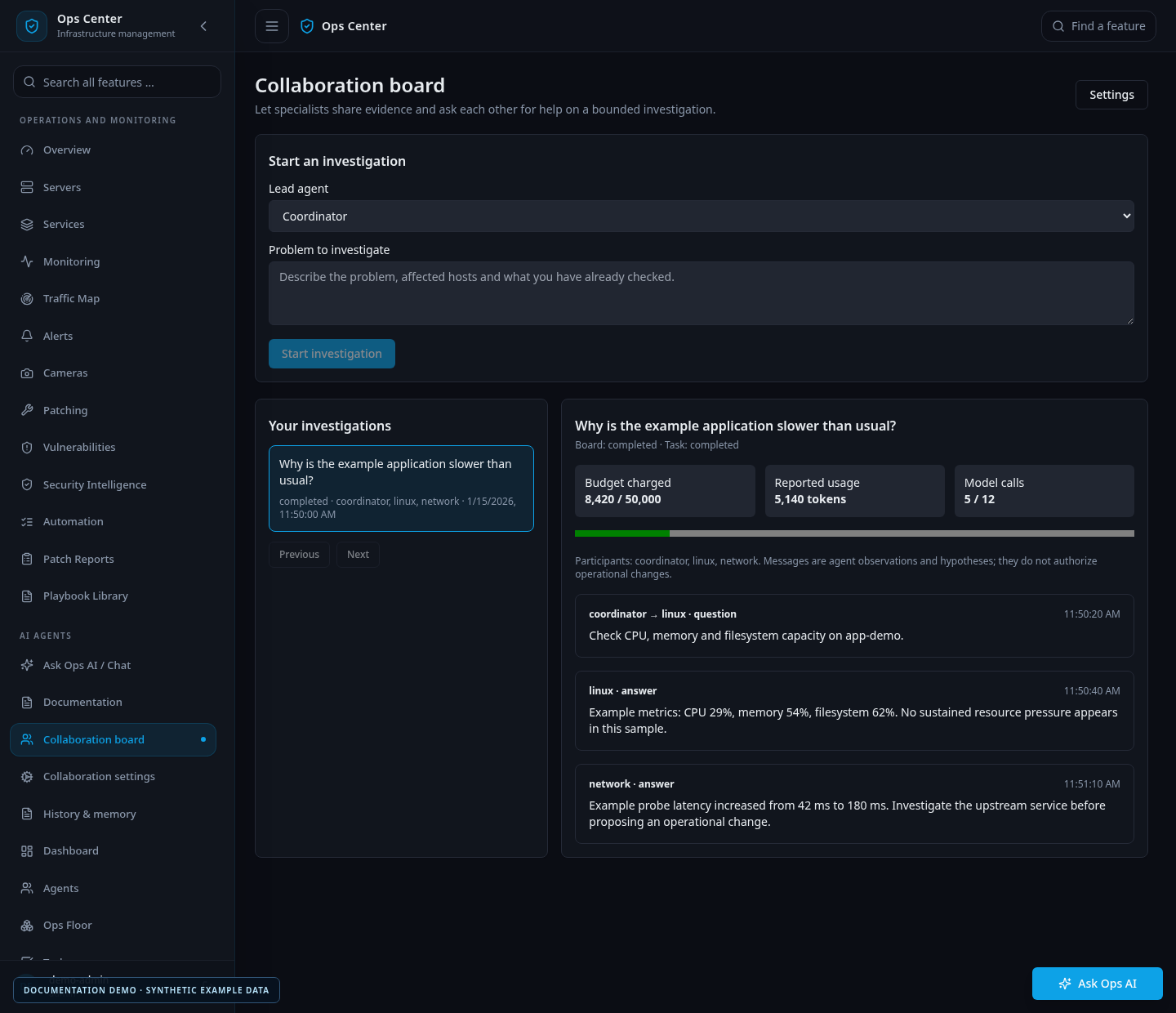
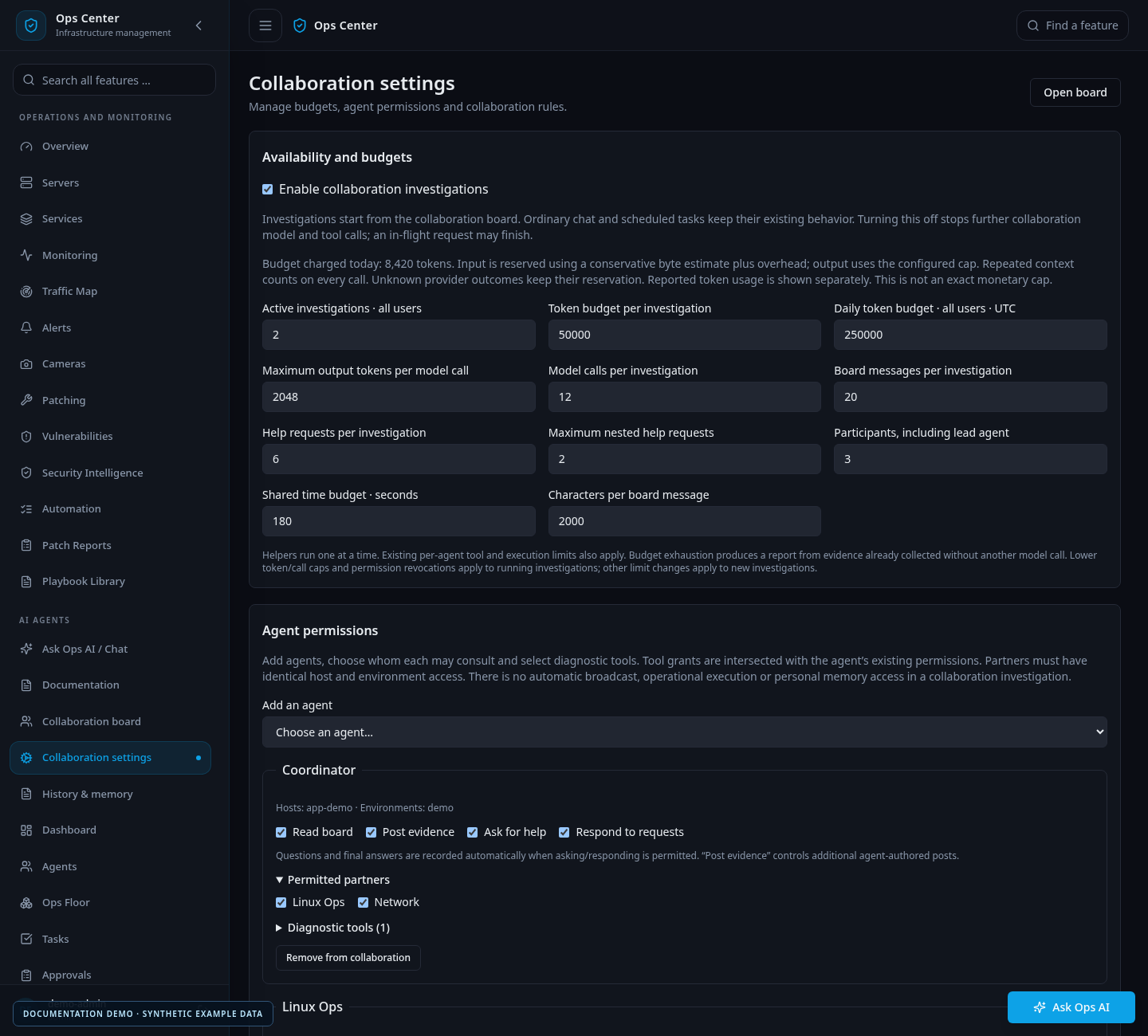
The board and settings images use fictional documentation tasks and agents.
Choose the participants before starting
Administrators configure collaboration under AI Agents → Collaboration settings. They choose a lead and helpers, permitted partners, diagnostic tools, rules and limits.
The task owner then opens a collaboration board and describes the problem. Agents can post evidence and request help from an allowed peer. Only the addressed helper runs, one at a time; nesting is limited by policy. The lead combines the contributions into a response.
This is a task-based investigation workflow. It is not an always-running forum where every agent continuously talks to every other agent. Normal chat, Talk messages and scheduled jobs do not automatically become collaboration boards.
Permissions come from configuration
A helper needs the appropriate read, post, ask and respond permissions. Its diagnostic tools must also intersect with its existing allowed tools.
Collaboration does not expose a shell, arbitrary web fetching or operational action requests. Participants must have matching host and environment scopes, and restricted investigations can only use supported tools against explicitly allowed hosts.
Instructions in a board post are untrusted evidence. They cannot grant new permissions. Disabling an agent, deactivating the owner or revoking relevant access prevents subsequent work.
Any operational change should be taken through the established approval workflow after reviewing the investigation.
Budgets are part of the workflow
Settings cover task and daily token budgets, output caps, model calls, messages, help requests, participant count, nesting, elapsed time and concurrent investigations.
The application reserves budget before contacting the model provider, so concurrent tasks cannot all spend the same remaining reservation. Actual provider usage is recorded separately.
These are application admission limits, not a promise of an exact invoice amount. Conservative input estimates, incomplete provider usage reports and uncertain failures affect accounting.
The owner can stop an investigation. Stop is cooperative: an already admitted request may finish, but no new step is admitted after the stop is observed. Exhausted limits produce a partial evidence report without requesting another model answer.
Boards and personal memory serve different purposes
Alongside collaboration, Ops Center provides conversation history and personal notes for supported user-owned tasks. Notes can be shared across the user's agents or scoped to one specialist.
For example, a user can keep a general operational preference in shared notes and a routine relevant to a Linux specialist in that agent's scope. Notes provide context; they do not authorize an action.
Collaboration boards deliberately do not offer personal-memory retrieval or writing. A board is an investigation record, not an automatic mechanism for promoting its findings into long-term agent knowledge.
The History & memory interface lets users search their conversations, manage notes and disable long-term memory. Removing a note does not erase the original conversation or backups. Selected context can be sent to the configured model provider when used, even though the archive itself is stored locally.
Privacy and scope are visible decisions
A collaboration board is visible to its owner through the application, including when other users are administrators. That is an application access boundary; it should not be confused with protection from somebody who administers the underlying database.
Aggregate token usage remains available in the existing usage view. The current release keeps boards in the owner's archive; automatic retention and cross-investigation knowledge promotion are not implemented.
Read the collaboration guide and memory guide for the exact behavior. The MCP article explains the separate tool connection used by external clients and supported ordinary agent tasks.
More from this release
Browse the September feature series, or read the original Ops Center introduction.
# EOF